Make Table Rows Sortable Using jQuery UI Sortable
July 2009I wrote an article, Make Table Rows Sortable Using jQuery UI Sortable on the Foliotek Development Blog about a problem that I ran into when trying to set up a basic sortable table using jQuery UI. The columns would collapse down once the dragging began.
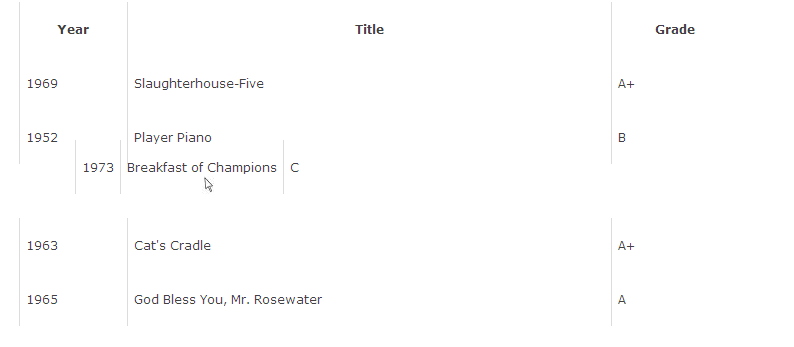
This was fixed by adjusting the helper object for the sortable function. Check out the [article][] for all the details, but here is a sample of the code if you are just looking for the solution:
// Return a helper with preserved width of cells
var fixHelper = function(e, ui) {
  ui.children().each(function() {
    $(this).width($(this).width());
  });
  return ui;
};

$("#sort tbody").sortable({
  helper: fixHelper
}).disableSelection();
June 10th, 2010 at 9:50 pm
Very useful. I like the way you write. Do you provide an RSS feed?
January 2nd, 2012 at 6:38 pm
I enjoyed your article, this was really helpful. I especially like the part where you brought up relavent sources. I am actually doing research on this and I am using your site as a source, if this is alright with you? Please get back to me?
February 1st, 2012 at 6:23 pm
austin condos…
[…]Brian Grinstead » Blog Archive » Make Table Rows Sortable Using jQuery UI Sortable[…]…
July 25th, 2014 at 2:51 am
very usefull article, it saved lot of headache to me. keep up the good work